PyTorch 2.8 · CUDA 12.8
pytorch:2.8-cu128
PyTorch with CUDA, cuDNN and NCCL pinned to versions that work together, plus Jupyter and SSH ready to use.
LaunchCloud GPU rental, billed per second
Rent an H100 SXM for $1.85 an hour, with the vCPUs, RAM, NVMe storage, a public IPv4 address and all your traffic already in the price. Billing starts once the machine passes its health check and ends the second you stop it.
Top up from $25 in crypto and pay only for the seconds you use, with no minimum and no commitment.
Your receipt for 2h 14m 03s
GPU Compute OÜ · Tallinn · VAT excl. · 2026-11-05 16:37 UTC
no.H100SX-PAR-008043
In our racks today
Every card has one all-in price, the same in each region, billed by the second. The count under each price is what you can launch right now, all regions together.
NVIDIA B200 SXM
180 GB
$4.15 /h
−47%cheaper
avg market price$7.94
40 available
NVIDIA H200 SXM
141 GB
$2.49 /h
−44%cheaper
avg market price$4.51
69 available
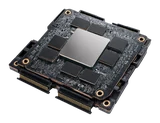
NVIDIA H100 SXM
80 GB
$1.85 /h
−49%cheaper
avg market price$3.67
320 available
NVIDIA H100 PCIe
80 GB
$1.35 /h
−50%cheaper
avg market price$2.71
88 available
NVIDIA RTX PRO 6000
96 GB
$1.15 /h
−49%cheaper
avg market price$2.27
136 available
NVIDIA A100 SXM
80 GB
$0.95 /h
−50%cheaper
avg market price$1.93
235 available
NVIDIA L40S
48 GB
$0.55 /h
−55%cheaper
avg market price$1.24
283 available
AMD MI300X
192 GB
$1.65 /h
−57%cheaper
avg market price$3.91
38 available
NVIDIA RTX 5090
32 GB
$0.48 /h
−14%cheaper
avg market price$0.56
49 available
NVIDIA RTX 4090
24 GB
$0.23 /h
−45%cheaper
avg market price$0.42
265 available
45 % Cheaper than the average GPU cloud, on the same card.
Forget the overhyped clouds that bill you for their brand. Same silicon, same hour, without the markup.
Our all-in hourly price against the public on-demand prices of up to 43 providers for each model, checked on 29 Sep 2026. Spot and reserved offers excluded.
01Ready-to-run AI templates
PyTorch, vLLM, ComfyUI, Ollama and twenty other images come pinned to a tested driver and CUDA version, and we launch every one of them on real GPUs every three days to make sure they still work. Pick one and the launcher opens with everything already filled in.
pytorch:2.8-cu128
PyTorch with CUDA, cuDNN and NCCL pinned to versions that work together, plus Jupyter and SSH ready to use.
Launch
ubuntu:24.04-cu128
A clean Ubuntu with the NVIDIA driver, the CUDA runtime and SSH, for when you would rather install your own stack.
Launch
jupyter:4.3-cu128
JupyterLab with a terminal, and the GPU already visible to PyTorch and JAX from the first cell.
Launch
comfyui:0.3-cu128
ComfyUI for Stable Diffusion and FLUX with popular custom nodes installed and your model folder synced from your disk.
Launch
vllm:0.11-cu128
Serve an LLM behind an OpenAI-compatible API, with weights loaded from our regional cache or from Hugging Face.
Launch
sglang:0.4-cu128
Fast structured generation behind an OpenAI-compatible API, with RadixAttention caching for repeated prompts.
Launch
ollama:0.12
Pull an open model such as Llama, Qwen or Mistral and chat with it over the API, with models kept on your disk.
Launch
axolotl:0.9-cu128
Fine-tune an LLM with LoRA, QLoRA or a full fine-tune from a single YAML file, with checkpoints written to your disk.
Launch
unsloth:2025.9-cu128
LoRA fine-tuning about twice as fast on models from 8B to 70B parameters, driven from a notebook.
Launch
whisper:faster-1.2
Speech-to-text with Whisper large-v3 in int8, batched behind an HTTP API that returns word timestamps.
Launch
comfyui-video:0.3-wan2.2
Text-to-video and image-to-video workflows built on Wan 2.2, with the weights loaded from our regional cache.
LaunchRun any Docker image from a public or private registry, with the GPU runtime added for you.
Bring your image02Four steps, about five minutes
No sales call and no contract: sign up, add credit, pick a card, and you are connected about five minutes later.

An email and a password, or GitHub or Google.

Bitcoin, USDT, Ethereum, Monero or 12 other coins.

10 GPU models in 4 regions, 25 ready images.

SSH, Jupyter or HTTPS, billed by the second.
03Live GPU availability and prices
Stock is counted per region and refreshed every 30 seconds. When a region shows queue, that GPU is sold out there for now, and you learn it here instead of after a failed launch.
B200 SXMnew
Blackwell · 180 GB HBM3e
$4.15/h
28 vCPU283 GB RAM2 TB NVMe8 TB/s
H200 SXM
Hopper · 141 GB HBM3e
$2.49/h
24 vCPU276 GB RAM2 TB NVMe4.8 TB/s
H100 SXM
Hopper · 80 GB HBM3
$1.85/h
20 vCPU125 GB RAM2 TB NVMe3.35 TB/s
H100 PCIe
Hopper · 80 GB HBM2e
$1.35/h
16 vCPU188 GB RAM1 TB NVMe2.0 TB/s
RTX PRO 6000
Blackwell · 96 GB GDDR7 ECC
$1.15/h
16 vCPU188 GB RAM2 TB NVMe1.8 TB/s
A100 SXM
Ampere · 80 GB HBM2e
$0.95/h
16 vCPU125 GB RAM1 TB NVMe2.0 TB/s
L40S
Ada Lovelace · 48 GB GDDR6 ECC
$0.55/h
16 vCPU94 GB RAM1 TB NVMe864 GB/s
MI300X
AMD CDNA 3 · 192 GB HBM3
$1.65/h
24 vCPU240 GB RAM2 TB NVMe5.3 TB/s
RTX 5090
Blackwell · 32 GB GDDR7
$0.48/h
9 vCPU35 GB RAM500 GB NVMe1.8 TB/s
RTX 4090
Ada Lovelace · 24 GB GDDR6X
$0.23/h
8 vCPU41 GB RAM500 GB NVMe1.0 TB/s
Available 10 or fewer left Queue, sold out here —Not offered in this region
Interruptible prices shown: five minutes of notice and a checkpoint hook, stopped rather than deleted.
Machine-readable price feedPrices in US dollars, excluding VAT. The price includes the vCPUs, RAM, NVMe, one public IPv4 address and all traffic; a persistent disk at $0.03 per GB per month is the only possible extra.
04Open-model benchmarks
Chat, code, vision, image, video, speech, voice, music, embeddings and 3D, from 80 labs. Pick a model to see which cards it fits on, how fast it runs and what its output costs, then launch it with the command shown.
Browse by lab80 labs
412 models from
No model matches. Try a lab, a size such as 70B, or a task such as video.
· released · likes on Hugging Face
Best value

Fastest* weights partly in CPU memoryCards needed and precision under each GPU
How these figures are made. They are estimates. Speed and cost come from each card's memory bandwidth and compute and each model's architecture (parameters, active experts, attention and cache), with efficiency factors calibrated on published vLLM, SGLang and diffusers results. Language models: a 2,000-token prompt and a 500-token answer, up to 64 requests at once, with prompt processing counted in the cost. Images: 1024 × 1024 at the model's usual step count. Costs use today's on-demand prices and leave out your disk. Measured runs will replace these figures as we publish them.
05Per-second GPU billing
Billing starts when your instance passes its health check and stops the second you shut it down. The launch is free, a stopped instance only costs its disk, and every line of your usage has a date, a duration and an amount.
H100 SXM · eu-paris · inst_7c1e
stopped, disk deleted 09-30$4.13 · 2 h 14 m 03 s · $0.000514 / s
| Date | Resource | Region | Duration | Rate | Amount |
|---|---|---|---|---|---|
| 09-03 | H100 SXM | eu-paris | 2 h 14 m 03 s | $1.85 / h | $4.13 |
| 09-03 | Disk 200 GB | eu-paris | 27 days | $0.03 / GB-month | $5.33 |
| 09-08 | RTX 4090 | eu-frankfurt | 41 m 12 s | $0.23 / h | $0.16 |
| 09-11 | A100 SXM | us-ashburn | 6 h 00 m 00 s | $0.95 / h | $5.70 |
| 09-11 | Credit, host failure | us-ashburn | session in full | — | −$5.70 |
| 09-15 | L40S | ap-singapore | 3 h 30 m 00 s | $0.55 / h | $1.93 |
| Total September | $11.55 | ||||
GET /v1/usage?instance=inst_7c1e
{
"instance": "inst_7c1e",
"gpu": "h100-sxm",
"region": "eu-paris",
"launched_at": "2026-09-03T14:01:23Z",
"billed_from": "2026-09-03T14:02:11Z",
"billed_to": "2026-09-03T16:16:14Z",
"billed_seconds": 8043,
"usd_per_second": 0.000514,
"amount_usd": 4.13
}
The launch at 14:01:23 and the health check are in the log, not in the bill.
06What happens when something fails
Hardware breaks in every datacenter, so we decided in advance what happens when it does and what you pay. Your persistent disk lives apart from the host, so instances can move while your data stays where it is.
launch requested: H100 SXM in eu-paris
Launch requests and allocation are never billed.
GPU allocated on host par1-g04
The disk is attached and the image is pulled from the regional cache.
health check failed: ECC errors on the card
nvidia-smi reports uncorrectable memory errors, so the start is aborted.
instance released, nothing billed
The meter never started, so the failed attempt costs nothing.
host par1-g04 drained for inspection
No other instance is placed on it until the card is replaced.
next free H100 SXM offered in eu-paris
One click relaunches on another host with the same disk.
GPU fault detected on host par1-g03 (Xid 79)
The host stopped responding to the GPU health probe and was marked unhealthy.
instance inst_91b3 paused, billing stopped
The meter stops the same second, not at the end of a billing period.
replacement host par1-g12 allocated in eu-paris
A healthy card of the same model, in the same region.
disk vol-2207 (200 GB) reattached, intact
The persistent disk was never on the failed host, only attached to it.
instance running again, billing resumed
Same disk, same image, same public IPv4 address.
session credited in full: $3.70 for 2 h 00 m
A host failure refunds the whole interrupted session, automatically.
incident posted on the status page
With a post-mortem once the card has been inspected.
capacity reclaim scheduled for inst_2b91 (interruptible A100 SXM)
Interruptible capacity is taken back when on-demand customers need the card.
notice sent to the metadata endpoint, your webhook and the console
Five minutes before the stop, on every channel at once.
your checkpoint hook starts
The script you registered runs inside the instance.
checkpoint written to disk vol-3310
Your training resumes from here on the next launch.
instance stopped, billing stopped
The disk and the public IPv4 address are kept.
relaunch offered as interruptible later, or on-demand now
Resume from the same disk either way.
no RTX 5090 allocatable in us-ashburn
The board showed queue for this region before you clicked.
launch queued, nothing billed while waiting
The request keeps its GPU, disk and image settings.
availability alert set for RTX 5090 in us-ashburn
One email with a launch link, never a newsletter.
a card is free, the queued launch starts
Allocation, disk attach and health check run as usual.
health check passed, billing starts
The meter starts now, not when you queued the launch.
07Launch from the console, the CLI or the API
bash
import gpubank client = gpubank.Client() # reads GPUBANK_TOKEN inst = client.instances.create( gpu="h100-sxm", region="eu-paris", disk="mydisk", template="pytorch-2.8", ) inst.wait_until_ready() # billing starts here print(inst.ssh) # [email protected]
curl -X POST https://api.gpubank.io/v1/instances \ -H "Authorization: Bearer $GPUBANK_TOKEN" \ -d '{"gpu": "h100-sxm", "region": "eu-paris", "disk": "mydisk", "template": "pytorch-2.8"}' # 201 Created { "id": "inst_7c1e", "status": "starting", "usd_per_second": 0.000514 }
resource "gpubank_instance" "train" { gpu = "h100-sxm" region = "eu-paris" disk = gpubank_disk.data.id template = "pytorch-2.8" } resource "gpubank_disk" "data" { size_gb = 200 region = "eu-paris" }
Start from the web console, your terminal, a Python script or Terraform. We allocate the card, attach your disk and run the health check, and the meter only starts once you can connect.
From the command to SSHbilling starts at 47.8 s
Allocation, disk and health check run before the meter. A launch that fails its check costs nothing.
Median launch, last 30 days
48 s · p95 71 s
Run it now
SSH
with your own keys, on a public IPv4
JupyterLab and VS Code
in the browser, or Remote over SSH
CLI and Python SDK
script launches, stops and disk moves
REST API and webhooks
ready, interruption and budget events
Terraform provider
instances, disks and spend caps as code
Private registries
and S3-compatible storage for datasets
08GPU cloud in Europe, the US and Asia
Your compute, disks and backups stay in the region you choose, which keeps data in the EU when it has to stay there. When you need GPUs elsewhere, your disk moves across at a measured speed and you launch with the same keys, image and prices.
Round trip in milliseconds, measured every hour.
| From / to | ParisPAR | FrankfurtFRA | AshburnASH | SingaporeSIN |
|---|---|---|---|---|
| ParisPAR | — | 9 ms | 78 ms | 162 ms |
| FrankfurtFRA | 9 ms | — | 86 ms | 158 ms |
| AshburnASH | 78 ms | 86 ms | — | 218 ms |
| SingaporeSIN | 162 ms | 158 ms | 218 ms | — |
Which region
eu-paris
eu-frankfurt
us-ashburn
ap-singapore
09How we compare to GPU marketplaces
Same GPU, same hourly rate, a different bill. We charge by the second and include everything a GPU needs to run, and the example below shows what that changes on a real job.
A fine-tuning run of 2 h 14 m 03 s on an H100 SXM at $1.85 / h.
Billed per second
GPUBank
8,043 s
$4.13
Billed per started hour
Typical marketplace
3 h
$5.55
$1.42 kept on this job
26 % of the per-hour bill, from counting seconds instead of hours.
20 such jobs a month
$28.40
Rates are equal on purpose: the whole difference comes from how time is counted.
Pay for 8,043 seconds, not 3 hours| Mechanism | GPUBank | Typical marketplace |
|---|---|---|
| Billing granularity | per second | per minute or per hour |
| Charged while stopped | no, disk only | sometimes |
| IPv4 included | yes | often extra |
| CPU and RAM included | yes | often separate |
| Egress traffic | included | often metered |
| Health check before billing | yes | rare |
| Interruption notice | 5 min | varies |
| SLA covers all instance types | yes | often excludes spot |
Marketplace column: the public pricing and terms pages of twelve providers, read on 19 September 2026.
10Our numbers, published
Launch time, health check pass rate, resume time, uptime per region and disk transfer speed, measured over the last 30 days, with our price history and every incident report next to them.
Median launch
48 s
p95 71 s
Health-check pass
99.2 %
first attempt
Resume time
31 s
same disk, same IP
Uptime in Paris
99.95 %
instance-hours
Transfer
1.6 GB/s
median, Paris to Frankfurt
Daily instance availability, 2026-06-26 to 2026-09-23
NormalStorage incident
All-in price per hour, in USD
A price cut applies to running sessions at once; an increase is announced 30 days ahead and never touches a running session.
What changed and when, incidents included.
11Contracts and security
The terms, the privacy policy, the data processing agreement and the list of sub-processors are published in full and dated. You can read them without an account and without a sales call.
Published in full, readable without an account.
How your machines and your data are protected.
12What people rent GPUs for
Most of our customers do one of four things, and each runs best on a different set of cards. The rules stay the same for all of them: per-second billing, a disk that outlives every instance and a usage line anyone can read.
Run ComfyUI, SDXL, FLUX and AI video on cards from 24 to 96 GB, with your models kept on a disk that survives every stop.
From$0.23/ h
Fine-tune an LLM with LoRA or QLoRA up to 70B, write checkpoints to your own disk and pick up where you left off after any interruption.
From$0.95/ h
Serve models behind an OpenAI-compatible API with warm workers, and check the real latency on the public status page.
From$1.15/ h
Stretch a small research budget with per-second billing and a spend cap, and stop the GPU between experiments without losing your data.
From$0.23/ h
13Frequently asked questions
If your question is not answered here, the documentation covers the rest. Support tickets are reserved for customers and open from the console once your balance reaches $25, which is why we do not offer pre-sales support.
Yes. The hourly price of every GPU already covers the vCPUs, the RAM, the local NVMe scratch disk, one public IPv4 address and all traffic in and out. The only other line that can ever appear on your receipt is a persistent disk, at $0.03 per GB per month.
Only the persistent disk, for as long as you keep it. A stopped instance costs nothing for compute, IPv4 or scratch storage, and once you delete the disk nothing is billed at all.
The live board only lists cards you can actually launch, so you see a shortage before you try. You can then queue the launch until a card frees up, set an availability alert, or move your disk to a region that has stock.
Your instance is restarted on a healthy host with the same disk attached, the interrupted session is credited to your balance in full, and the incident is published on the status page with a post-mortem.
Yes, from the console or the CLI. The measured transfer speed is shown before you confirm, and a 200 GB disk usually moves between Paris and Frankfurt in about two minutes.
Exactly the one you choose. The H100 SXM and the H100 PCIe are sold as separate products with their own memory bandwidth and interconnect, and the console shows the PCI ID of the card you are running on.
GPUBank is run by GPU Compute OÜ, a company registered in Tallinn, Estonia, registry code 17984370. Our company details, service level, DPA and sub-processors are published for anyone to read.
You top up a prepaid balance in US dollars with crypto, starting at $25. Bitcoin, USDT, Ethereum and more than a dozen other coins are accepted, and larger deposits come with a bonus: a $50 top-up gives you $65 of credit, $100 gives you $135, $250 gives you $350, and from $1,000 the bonus reaches +60 %. The credit never expires. Usage is then deducted by the second, and every account can set a monthly spend cap.
Get started from $25
An H100 SXM in Paris costs $1.85 an hour, or $0.000514 / s, with everything included. Top up $50 in crypto and your balance shows $65, enough to run a real first job on a serious GPU.
$ gpubank launch \ --gpu h100-sxm \ --region eu-paris ● ready in 47.8 s
is out of stock in right now. Create an alert and we email you once, the moment it is allocatable again, with a link to launch it.
Waiting for in a region where it is out of stock? Create an alert: pick the region in your console and we email you once, the moment it is allocatable there, with a link to launch it.